> ## Documentation Index
> Fetch the complete documentation index at: https://help.pawgress.ca/llms.txt
> Use this file to discover all available pages before exploring further.
# Creating Your Account
> Learn how to create your Pawgress account and get started with streamlining your dog training business.
## Getting started with Pawgress
Creating your Pawgress account is the first step toward streamlining your dog training business. This guide will walk you through the simple account creation process, explain the different account types, and help you set up your initial login credentials.
## Step 1: Visit the Pawgress sign-up page
Navigate to the Pawgress homepage at [pawgress.ca](https://pawgress.ca) and click on the "Sign Up" button in the top right corner of the navigation bar.
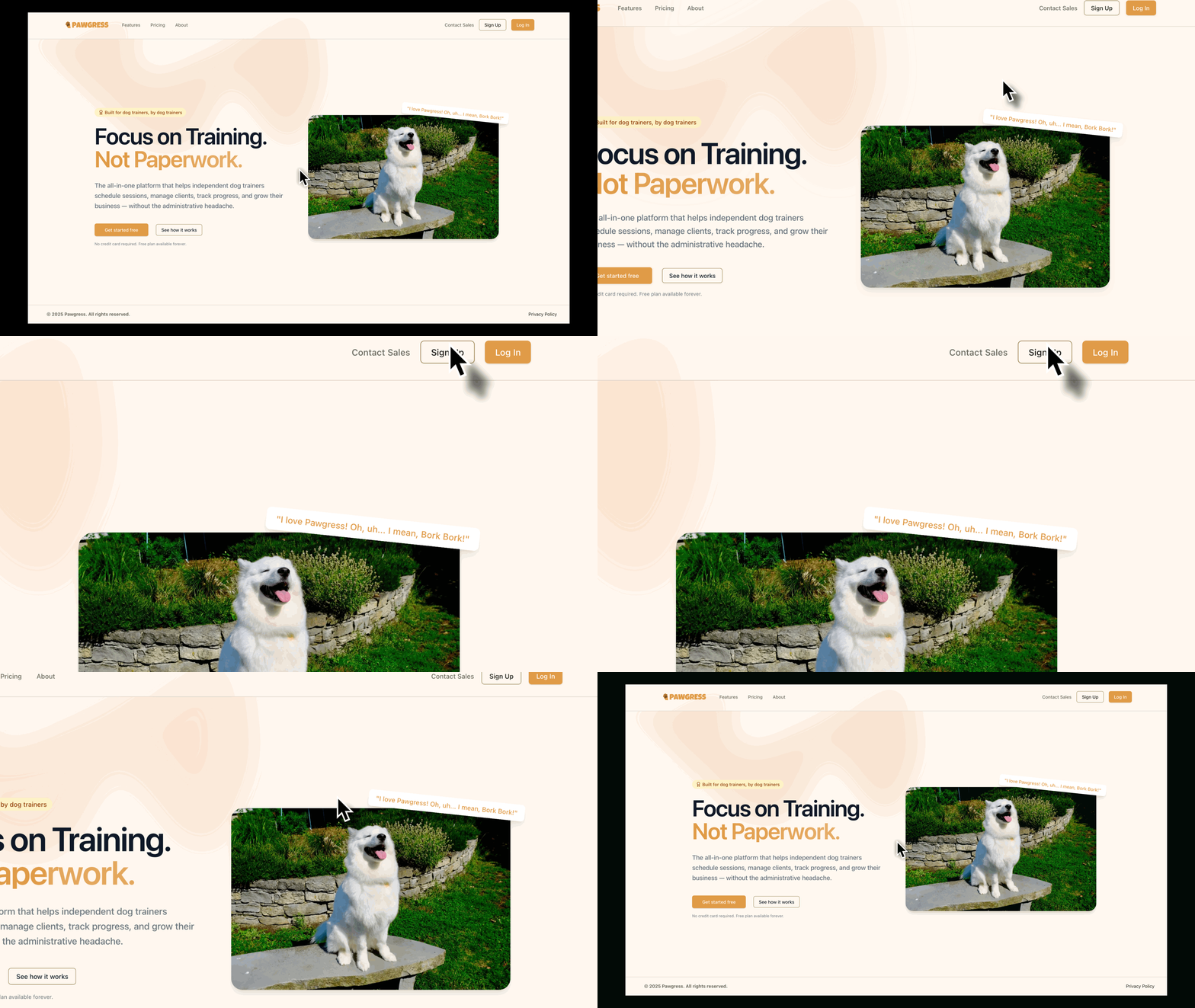
The Sign Up button is located in the top right corner of the Pawgress homepage
## Step 2: Fill out your basic information
Next, you'll need to provide some basic information to create your account:
* **First Name:** Your first name
* **Last Name:** Your last name
* **Email Address:** This will be your username for logging in
* **Password:** Create a secure password (at least 8 characters with a mix of letters, numbers, and symbols)
* **Confirm Password:** Re-enter your password to confirm
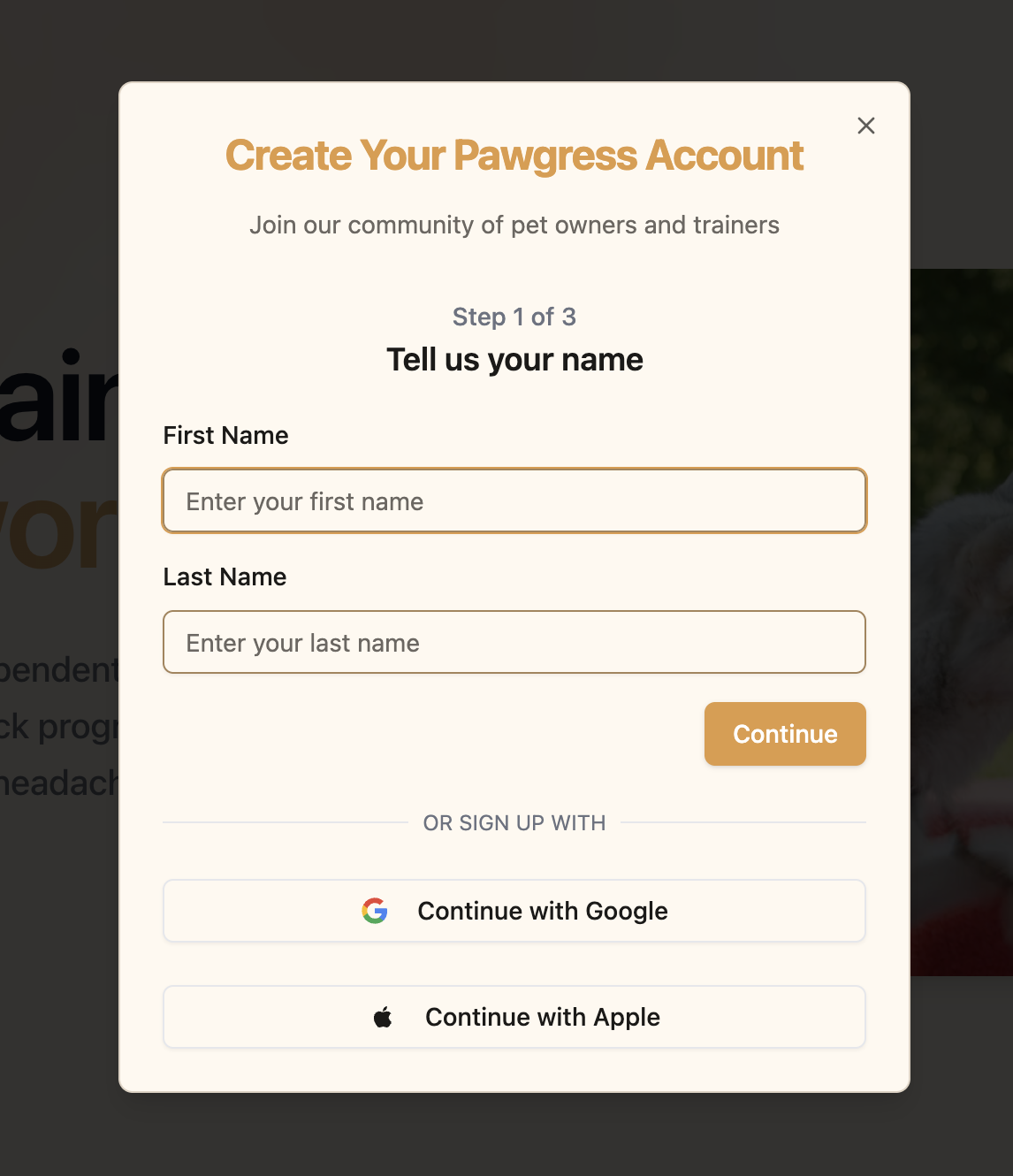 Fill out all required fields in the signup form
**Password Security Tips**
For maximum account security, we recommend:
* Using at least 12 characters
* Including uppercase and lowercase letters
* Adding numbers and special characters
* Avoiding common words or phrases
* Not reusing passwords from other services
## Step 3: Choose your account type
Pawgress offers two types of accounts:
* **Dog Trainer Account:** For professional dog trainers who want to manage their clients, scheduling, and billing
* **Client Account:** For dog owners who want to book sessions with their trainer (Note: Clients are typically invited by their trainers)
For this guide, we'll focus on creating a Dog Trainer account. Select "Dog Trainer" option.
Fill out all required fields in the signup form
**Password Security Tips**
For maximum account security, we recommend:
* Using at least 12 characters
* Including uppercase and lowercase letters
* Adding numbers and special characters
* Avoiding common words or phrases
* Not reusing passwords from other services
## Step 3: Choose your account type
Pawgress offers two types of accounts:
* **Dog Trainer Account:** For professional dog trainers who want to manage their clients, scheduling, and billing
* **Client Account:** For dog owners who want to book sessions with their trainer (Note: Clients are typically invited by their trainers)
For this guide, we'll focus on creating a Dog Trainer account. Select "Dog Trainer" option.
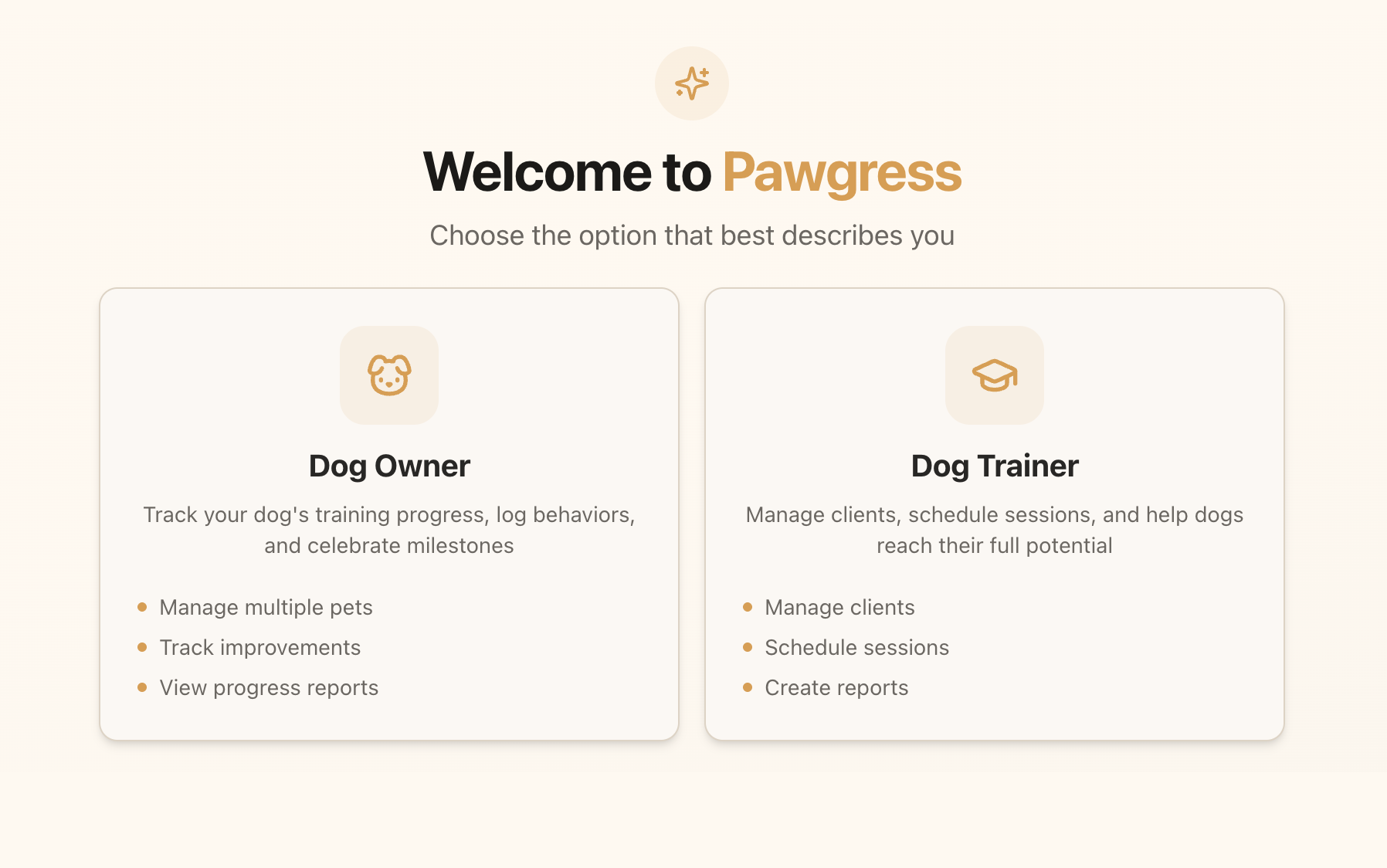 Select "Dog Trainer" to create a trainer account
## Step 4: Verify your email address
After submitting your information, you'll need to verify your email address:
1. Check your email inbox for a message from Pawgress
2. Click on the "Verify Email Address" button in the email
3. If you don't see the email, check your spam folder
4. You can also request a new verification email from the login page
## Step 5: Complete your initial login
Once your email is verified, you'll be directed to the login page:
1. Enter your email address
2. Enter your password
3. Click "Log In"
You'll be taken to your new Pawgress dashboard where you can begin setting up your profile
Select "Dog Trainer" to create a trainer account
## Step 4: Verify your email address
After submitting your information, you'll need to verify your email address:
1. Check your email inbox for a message from Pawgress
2. Click on the "Verify Email Address" button in the email
3. If you don't see the email, check your spam folder
4. You can also request a new verification email from the login page
## Step 5: Complete your initial login
Once your email is verified, you'll be directed to the login page:
1. Enter your email address
2. Enter your password
3. Click "Log In"
You'll be taken to your new Pawgress dashboard where you can begin setting up your profile
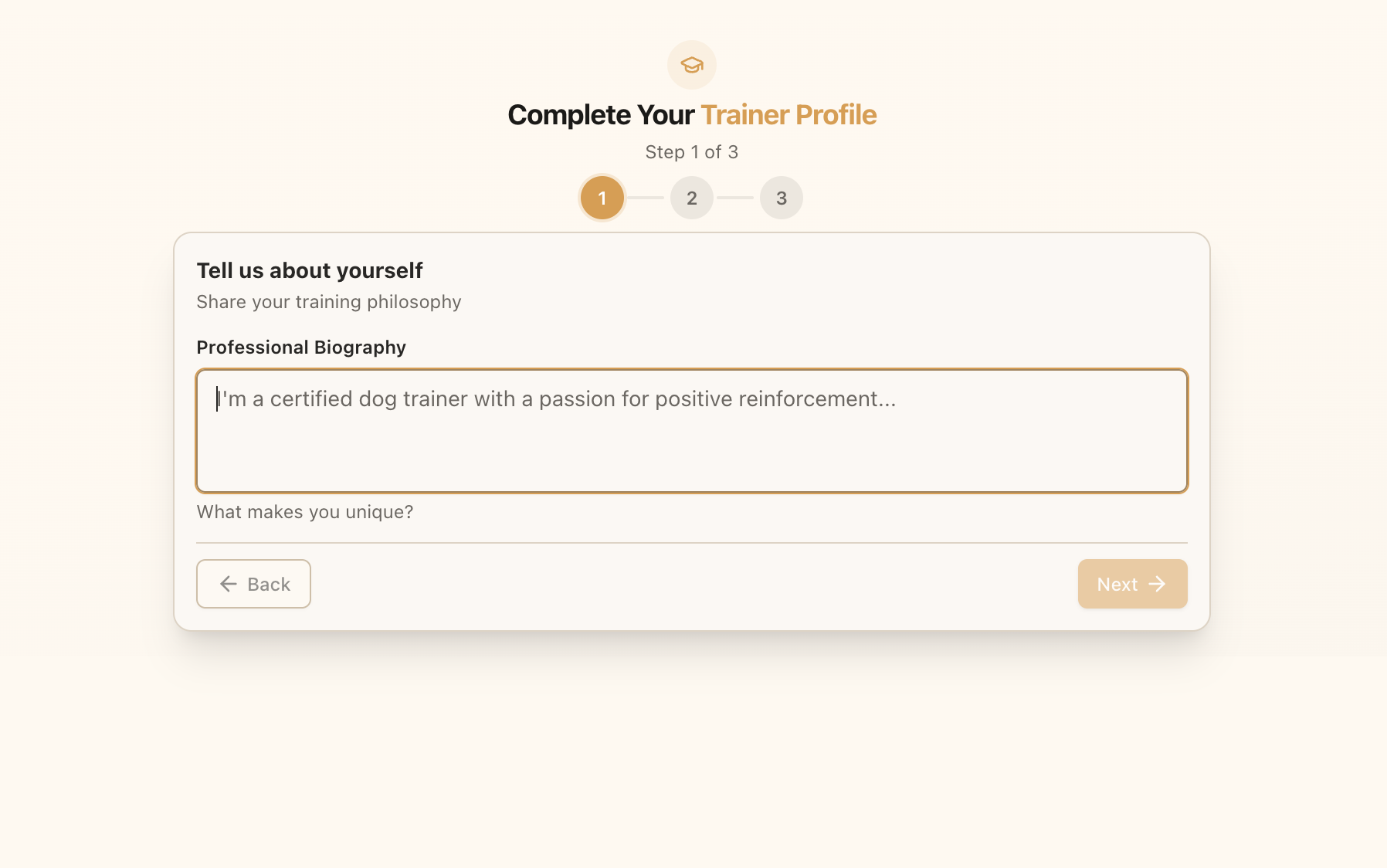 Enter your email and password to log in to your new account
## Alternative Sign-up Methods
For convenience, Pawgress also offers these alternative sign-up methods:
* **Google Sign-In:** Click the "Continue with Google" button to use your Google account credentials
* **Apple Sign-In:** Click the "Continue with Apple" button to use your Apple account credentials
These methods can simplify the login process while maintaining strong security for your account.
**Need help signing up?**
If you encounter any issues during the sign-up process, our support team is here to help. Contact us directly through the [support page](/support) or email us at [support@pawgress.ca](mailto:support@pawgress.ca).
## Next Steps
Now that you've created your Pawgress account, you're ready to:
1. [Upgrade to Pawgress Pro](/guides/overview/upgrade-to-pro) - Start your 90-day free trial to unlock all features
2. [Set up your trainer profile](/guides/getting-started/setup-profile)
3. [Learn about your dashboard](/guides/overview/dashboard-overview)
4. [Add your first client](/guides/getting-started/add-client)
These guides will help you get the most out of your Pawgress account and set up your dog training business for success.
Enter your email and password to log in to your new account
## Alternative Sign-up Methods
For convenience, Pawgress also offers these alternative sign-up methods:
* **Google Sign-In:** Click the "Continue with Google" button to use your Google account credentials
* **Apple Sign-In:** Click the "Continue with Apple" button to use your Apple account credentials
These methods can simplify the login process while maintaining strong security for your account.
**Need help signing up?**
If you encounter any issues during the sign-up process, our support team is here to help. Contact us directly through the [support page](/support) or email us at [support@pawgress.ca](mailto:support@pawgress.ca).
## Next Steps
Now that you've created your Pawgress account, you're ready to:
1. [Upgrade to Pawgress Pro](/guides/overview/upgrade-to-pro) - Start your 90-day free trial to unlock all features
2. [Set up your trainer profile](/guides/getting-started/setup-profile)
3. [Learn about your dashboard](/guides/overview/dashboard-overview)
4. [Add your first client](/guides/getting-started/add-client)
These guides will help you get the most out of your Pawgress account and set up your dog training business for success.