

Getting Started with Clients
Adding clients to your Pawgress account is the first step to managing your dog training business effectively. This guide will walk you through adding and managing your client relationships in the system.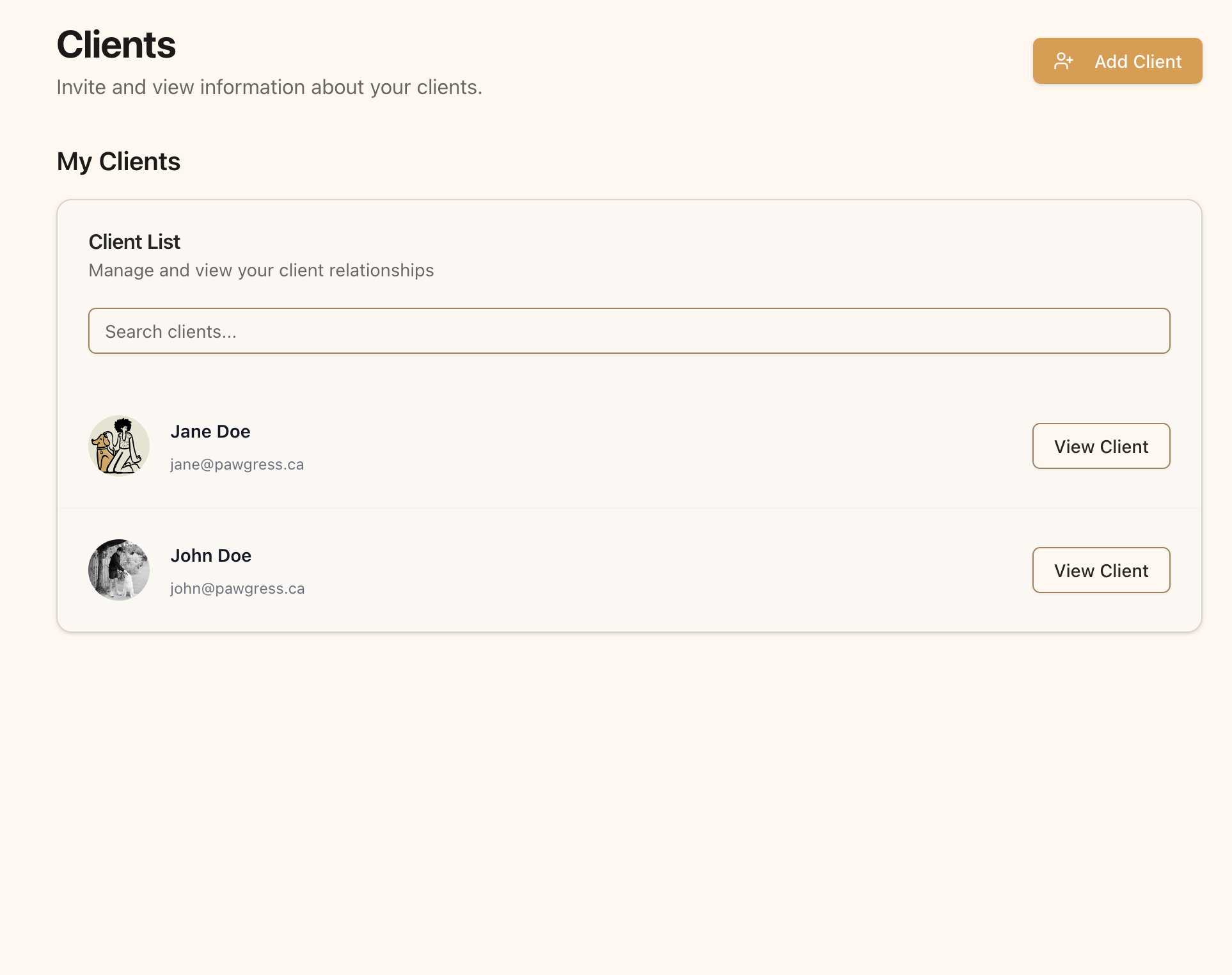
The Clients page is where you’ll manage all your client relationships
Creating Clients
Before you can add pets and schedule training sessions, you’ll need to add clients:Step 1: Navigate to the Clients Page
From your dashboard, click on “Clients” in the main navigation menu to access the Clients page.Step 2: Create a Client
- Locate the “Add Client” button at the top of the page
- Enter your client’s email address, first name and last name in the input field
- Click the “Create Client” button
What Happens NextAfter you create a client:
- Your client receives an email invitation to join Pawgress
- They can create their account using the email link
- They’ll appear in your client list
- You’ll then be able to add their pets and schedule training sessions
Viewing Client Details
To see more information about a client:- Click the “View Client” button next to their name in the list
- This will take you to their client profile page
- From there, you can view and manage their enrollments and pets
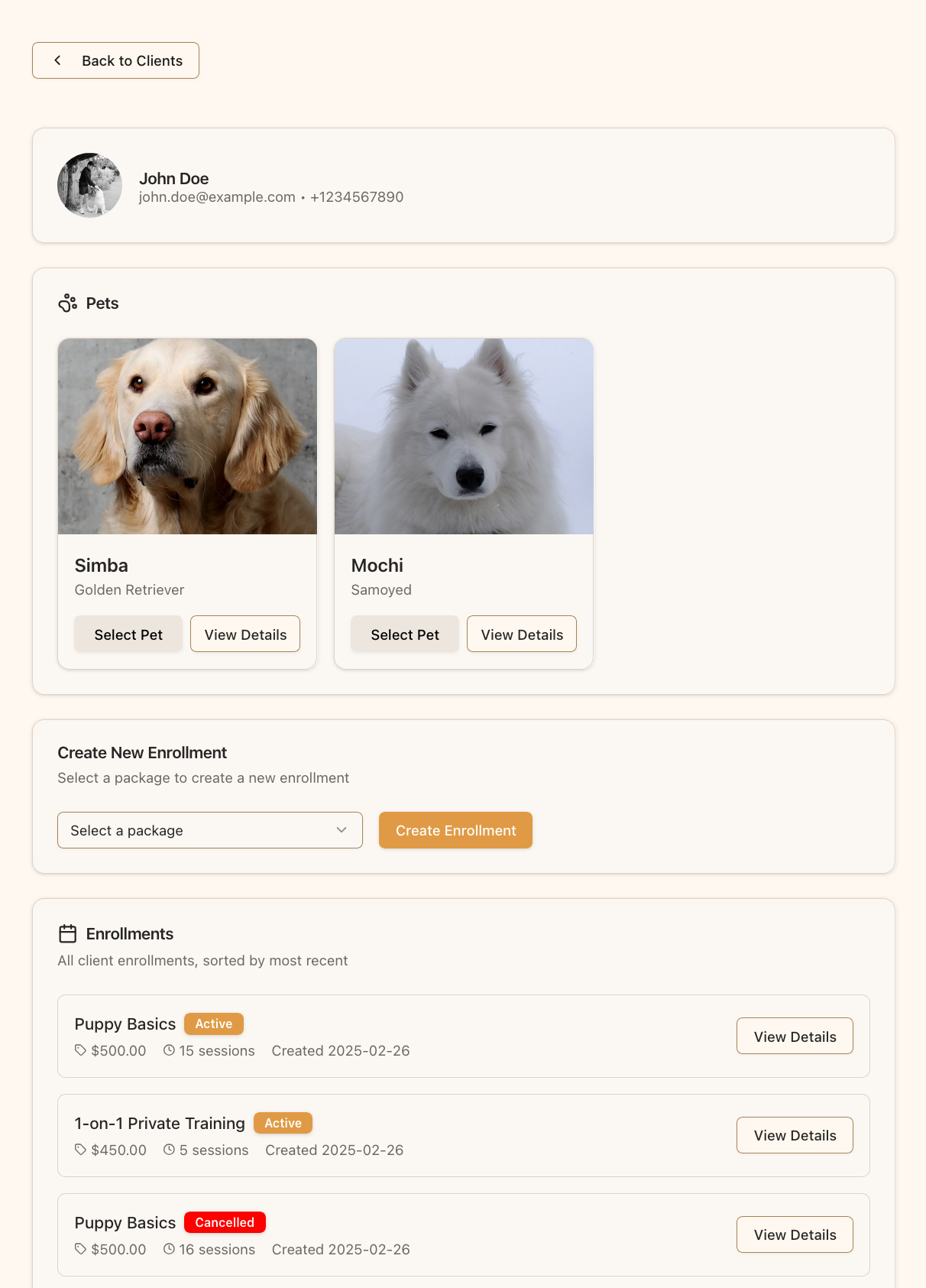
The client details page shows the client’s information, their pets and their enrollments
Searching for Clients
As your client list grows, you can use the search function to find specific clients:- Enter a client’s name or email in the search box at the top of the client list
- The list will filter to show only matching clients
- Clear the search box to see your full client list again
Client PrivacyPawgress takes client privacy seriously. When clients connect with you:
- You’ll only have access to the information they choose to share
- Their pet data is secure and only visible to you and them
- The system maintains appropriate boundaries between trainers and clients
Next Steps
Once your client has accepted your invitation and appears in your client list, you can:- Create training packages to offer to your clients
- Schedule training sessions
- Create training reports to track and document training progress