

Overview
Pawgress Pro gives you access to powerful features designed to streamline your dog training business. With advanced scheduling tools, seamless integrations, and business analytics, Pro helps you save time and grow your business.What’s Included in Pawgress Pro
- Session Scheduling - Book and manage sessions with automatic reminders
- Package Management - Create and sell training packages with multiple sessions
- Google Calendar integration - Sync sessions automatically with your calendar
- Zoom integration - Create virtual training sessions with one click
- Advanced Dashboard - Business analytics and forecasting tools
- Training templates - Unlimited pre-defined training plans you can assign to clients
- Custom training packages - Create and save custom packages for different client needs
- Report templates - Create templates from reports for faster reporting
- Priority support - Faster response times and dedicated support
- Custom branding - Add your logo and customize client-facing materials
- 90-day free trial - Try all Pro features risk-free
Pricing
Choose the billing frequency that works best for your business:- Annual Billing: $192.00/year (equivalent to 16.00/month - save $48)
- Monthly Billing: $20.00/month
How to Upgrade to Pro
Step 1: Access your account settings
After creating your Pawgress account, click on your profile icon in the top-right corner of the dashboard. Select “Account” from the dropdown menu.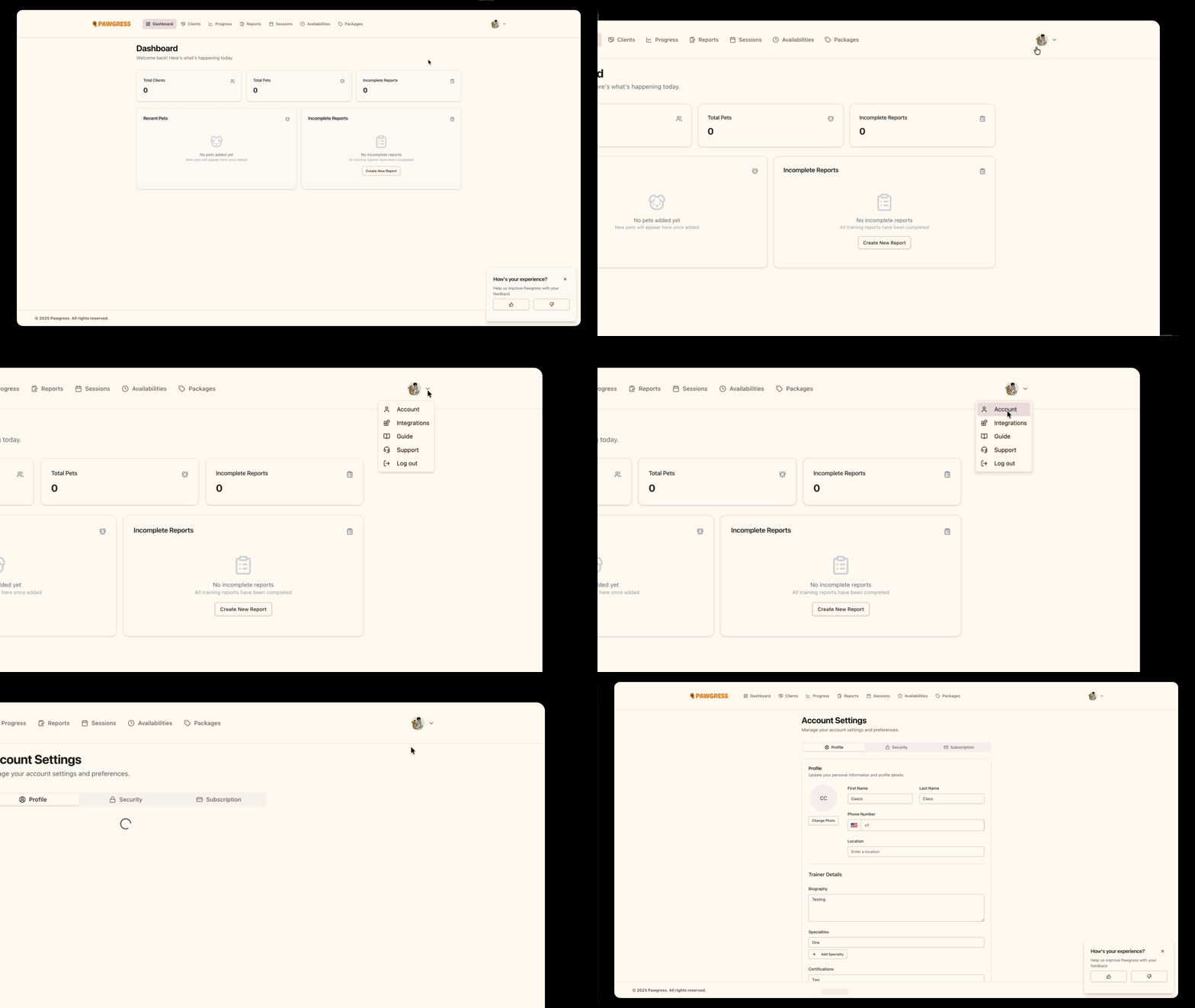
Step 2: Navigate to the subscription tab
In the account settings sidebar, click on “Subscription” to view your subscription options.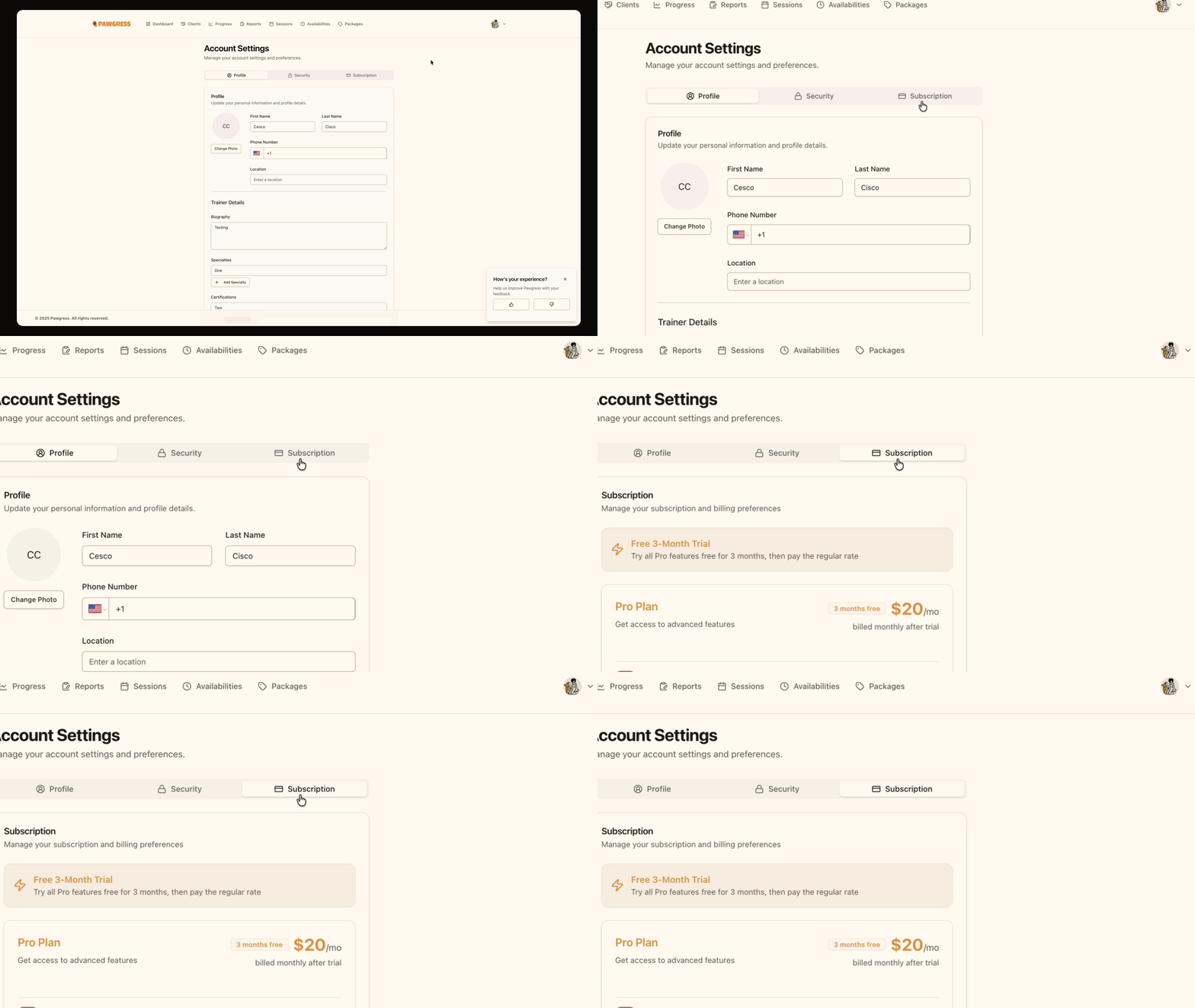
Step 3: Review Pro Plan benefits
On the subscription page, you’ll see a detailed overview of what’s included in Pawgress Pro, along with pricing information for both monthly and annual billing.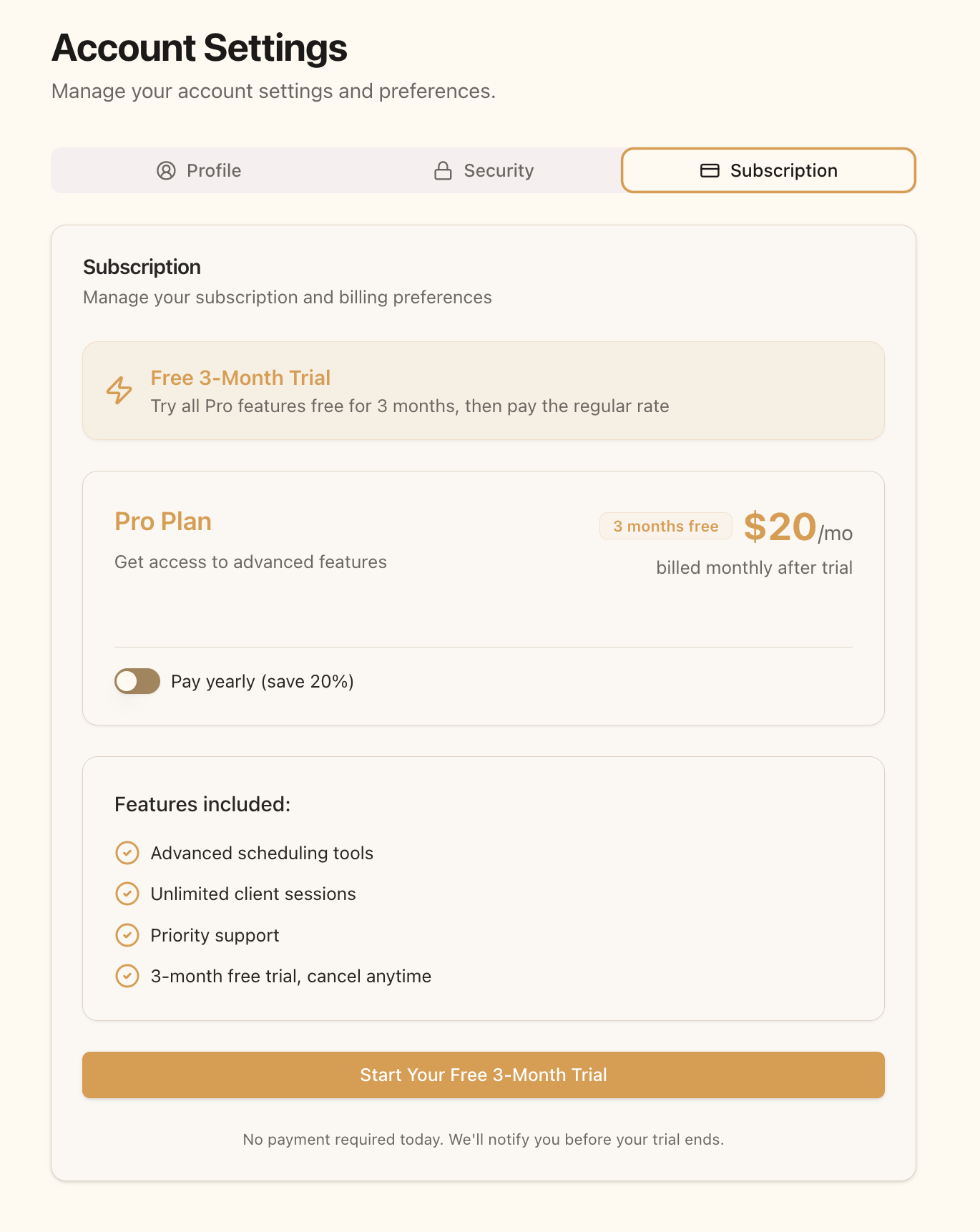
Step 4: Choose your billing frequency
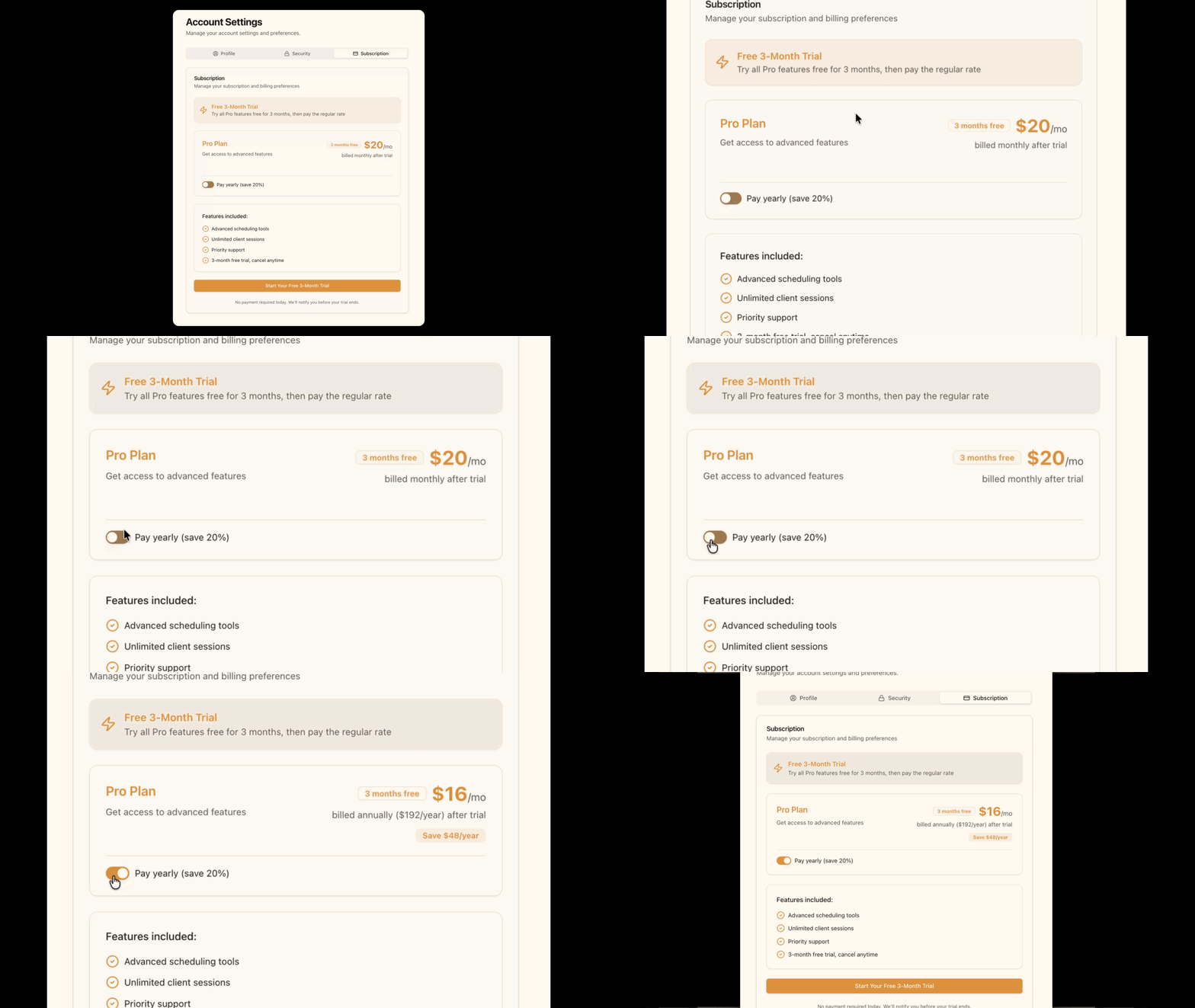
Before starting your free trial, select whether you’d prefer to be billed monthly or annually after your trial ends:- Toggle the “Pay yearly” switch ON for annual billing ($192.00/year)
- Leave the toggle OFF for monthly billing ($20.00/month)
Step 5: Start your free trial
Click the “Start Your Free 3-Month Trial” button. You’ll be redirected to Stripe’s secure checkout page to enter your payment information.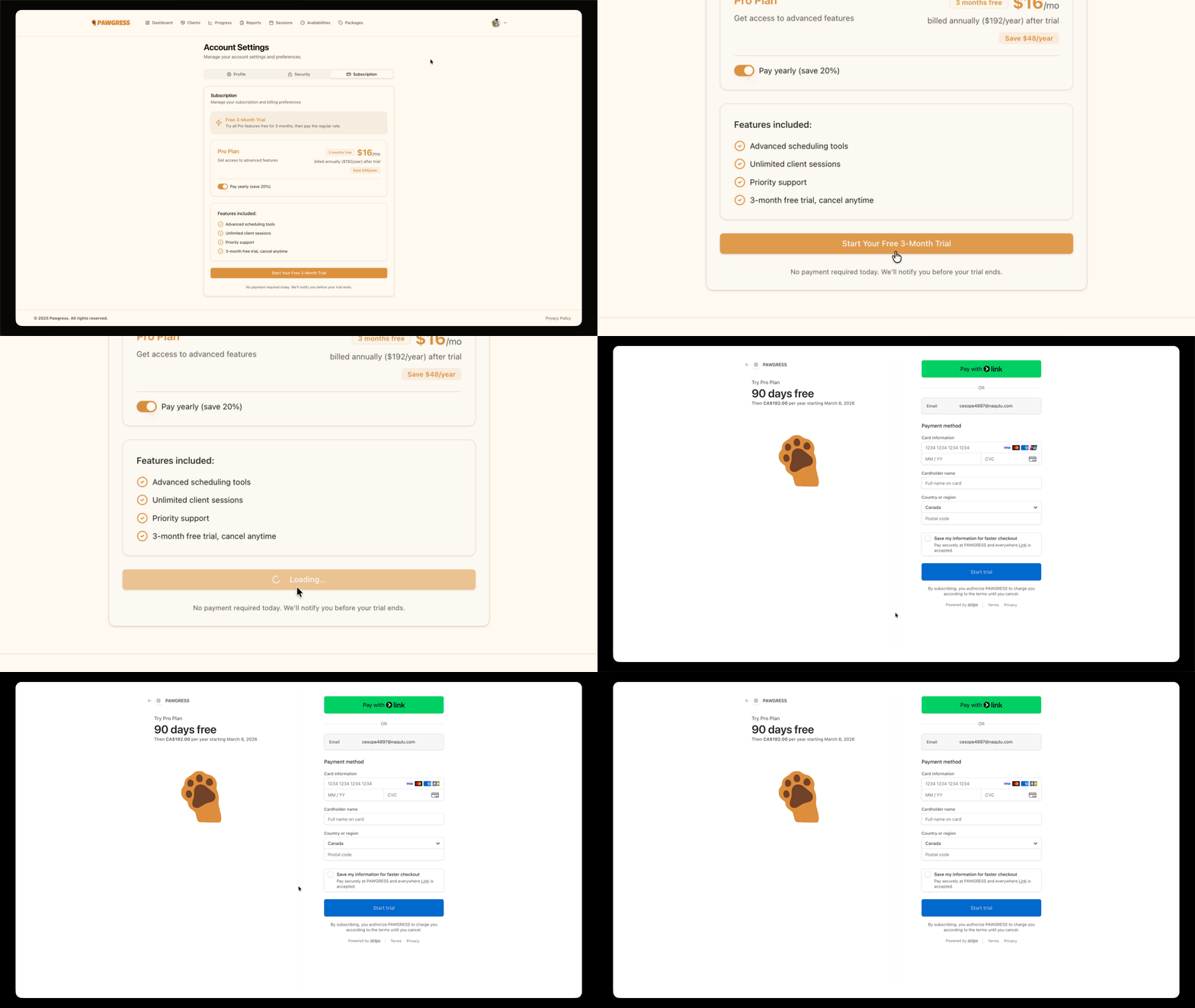
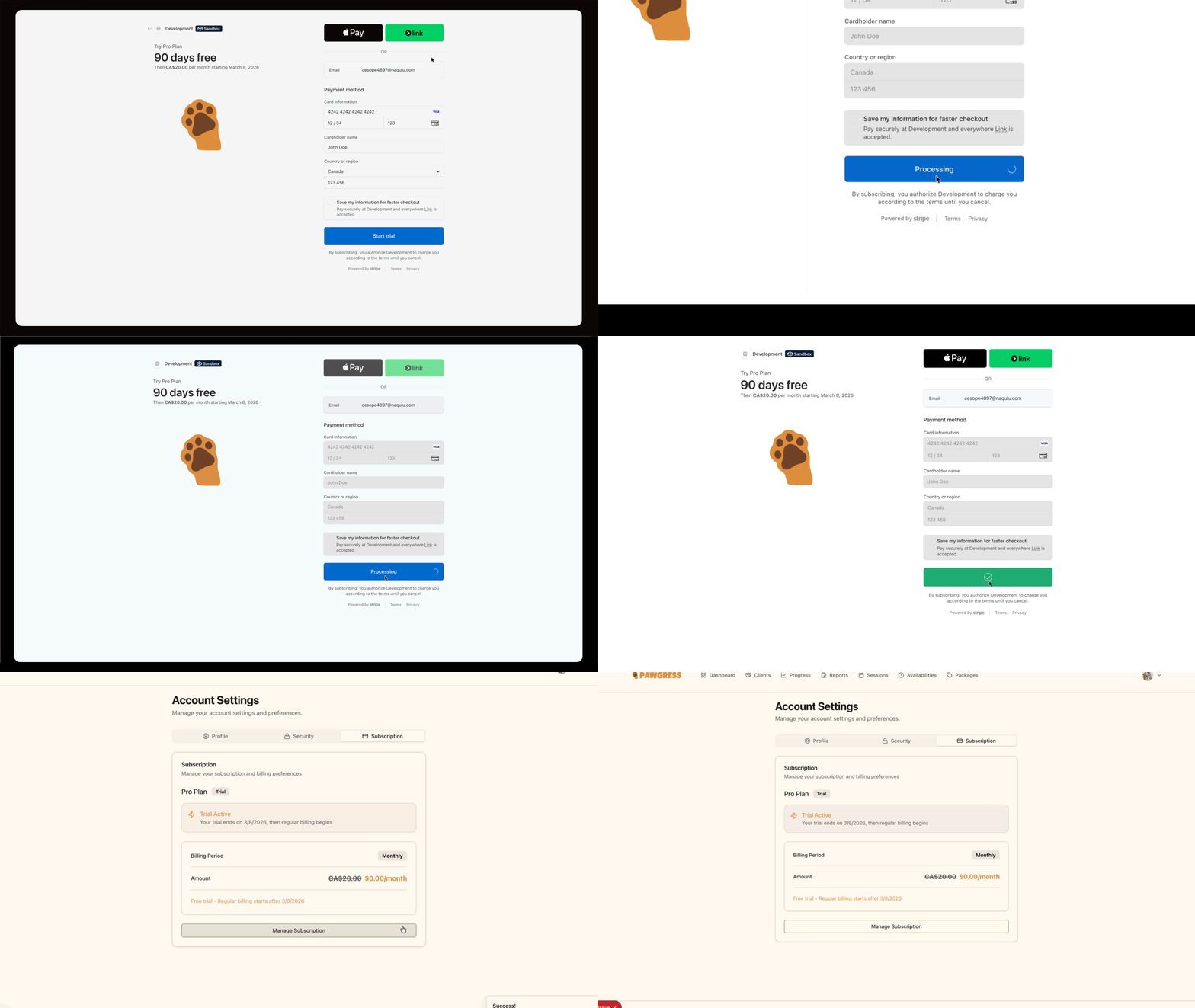
Step 6: Complete Stripe checkout
On the Stripe checkout page, enter the following information:- Email address - Should match your Pawgress account email
- Card information - Your payment card details
- Billing address - Your billing address information
Step 7: Trial confirmation
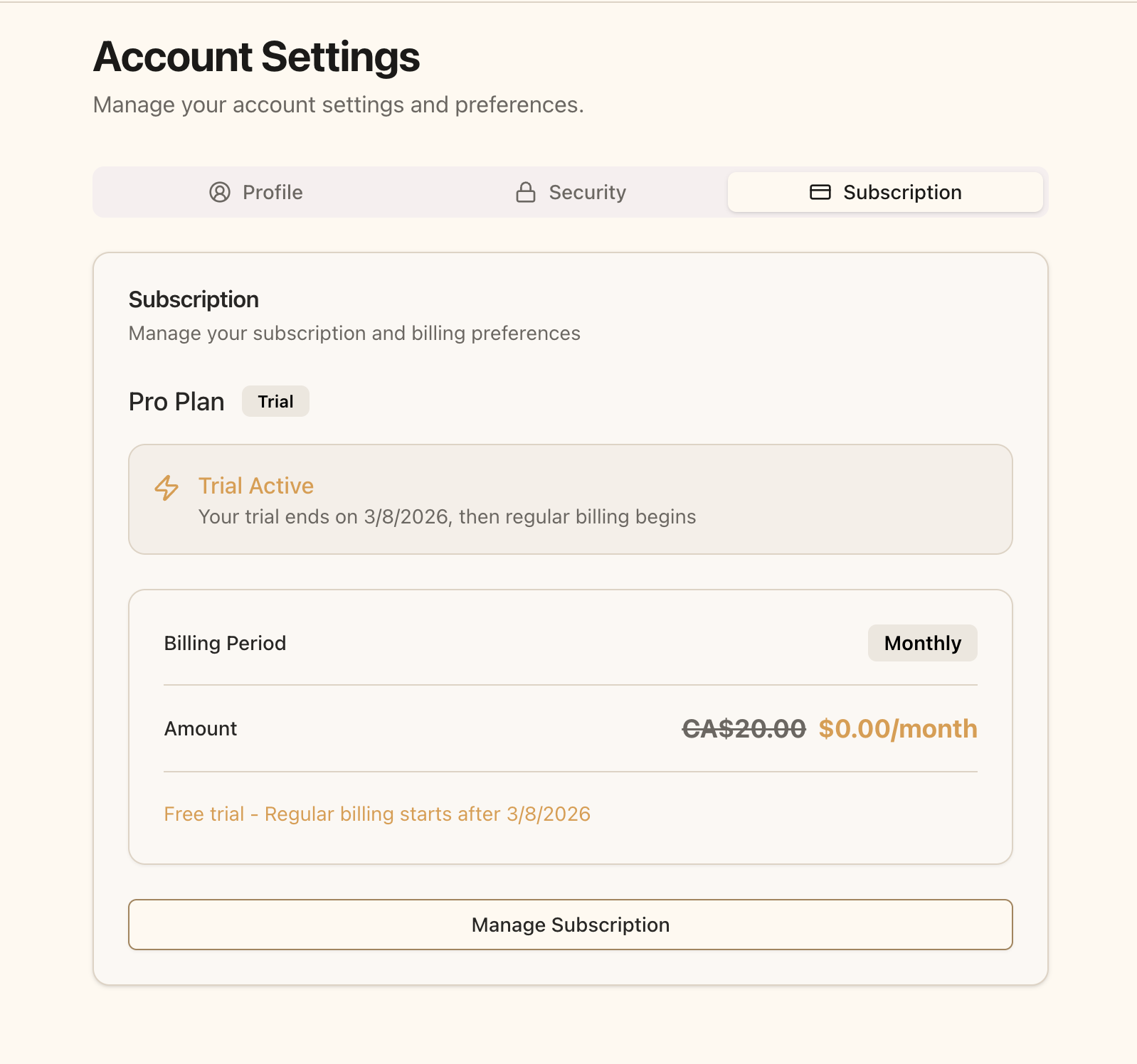
After completing checkout, you’ll be redirected back to Pawgress with your Pro trial now active. Your subscription page will display:- Trial Status - Shows your trial is active
- Trial End Date - When your trial expires (90 days from start)
- Selected Plan - The plan that will activate after your trial
What Happens After My Trial?
After your 90-day free trial ends:- You’ll receive an email notification 7 days before your trial expires
- Your payment method will be charged automatically based on your selected billing frequency (monthly or annual)
- You’ll continue to have uninterrupted access to all Pro features
- You can cancel anytime before the trial ends to avoid being charged
Managing Your Subscription
Once you’ve started your Pro trial, you have full control over your subscription:- Change billing frequency - Switch between monthly and annual billing
- Update payment method - Change your payment card or billing address
- Cancel subscription - Cancel anytime during or after your trial
Basic Plan Features
If you choose not to upgrade to Pro, you can continue using Pawgress Basic (free forever) with these features:- Unlimited clients and pets - No restrictions on how many clients you can manage
- Client and pet profiles - Store contact information, notes, and pet details
- Progress tracking - Log and monitor training progress for each pet
- Basic reports - Create training reports for clients
- Email support - Get help from our support team
- Session scheduling system
- Package management
- Google Calendar and Zoom integrations
- Training templates and custom training plans
- Advanced dashboard with business analytics
- Custom branding
Questions About Pro?If you have questions about upgrading to Pro or which features are included, our support team is here to help:
- Email: support@pawgress.ca
- Support page: pawgress.ca/support
Next Steps
Now that you’ve upgraded to Pro, make the most of your subscription:- Set up Google Calendar integration - Automatically sync your training sessions
- Configure Zoom integration - Enable virtual training sessions
- Set your availability - Let clients book sessions automatically
- Create training packages - Offer bundled session packages